
Imagine firing up a new release on a modest laptop in a London café, and the game streams at 60 fps with HDR. That’s the end state most UK gamers are chasing: high‑end titles without the price tag of a top‑tier PC or a next‑gen console. The trick is not magic; it’s cloud gaming, and it’s already reshaping how we spend our evenings.
Step 1 – Choose a Service That Matches Your Bandwidth
The first practical hurdle is your internet connection. Services such as Xbox Cloud Gaming, PlayStation Plus Premium, and NVIDIA GeForce Now list a minimum of 10 Mbps for 720p, but 25 Mbps consistently delivers 1080p with under‑30 ms latency. In practice, my own 30 Mbps fibre line gave me a smooth 1080p experience on a rainy Manchester night, while a 12 Mbps ADSL line struggled to keep up during fast‑paced shooters.
Tip: Run a speed test at speedtest.net during peak hours. If you see a dip below 20 Mbps, consider a wired Ethernet connection or a modest upgrade; Wi‑Fi can add 5‑10 Mbps of jitter.
Step 2 – Set Up Your Device and Controller
Cloud platforms are deliberately device‑agnostic. I connected a cheap Android tablet (7‑inch, 2 GB RAM) via Bluetooth to a DualShock 4, and the service recognised the controller instantly. For PC users, a USB‑C dock can turn a tablet into a pseudo‑console. The key is to keep the input lag under 50 ms; any higher and you’ll notice a disconnect between button press and on‑screen action.
Common mistake: Assuming you need a high‑end phone. In reality, a mid‑range Android (e.g., Samsung A52) or an iPad 9th generation works perfectly when paired with a stable connection.
Step 3 – Manage Your Game Library Efficiently
Unlike traditional consoles, you don’t “own” the hardware, so you also don’t own the games forever. Most services charge a monthly fee (typically £9.99–£14.99) and give you access to a rotating catalog. I keep a spreadsheet of titles I’ve tried, noting the “availability window” – for example, “Cyberpunk 2077 – available until 12 Oct 2024”. This prevents the disappointment of a game vanishing mid‑campaign.
- Prioritise evergreen titles (e.g., FIFA, Call of Duty) that stay in the library longer.
- Bookmark indie releases that rotate weekly; they’re often the hidden gems.
- Set a reminder a week before a title expires if you’re mid‑play.
Step 4 – Optimize Your Play Sessions
Because you’re streaming, the longer you play, the more data you consume. A two‑hour session at 1080p uses roughly 5 GB of data. In my household, we hit the 500 GB monthly cap after about 80 hours of gaming. To stay within limits, I schedule sessions during off‑peak hours when my ISP offers unlimited data, or I drop the resolution to 720p, cutting consumption by half.
Another practical tweak: enable “hardware‑accelerated decoding” in the app settings. This offloads video processing to the device’s GPU, reducing battery drain and keeping the device cooler.
Step 5 – Blend Cloud Gaming With Traditional Entertainment
While I’m on a train, I’ll stream a game for an hour, then switch to a Netflix documentary without changing devices. The seamless transition is possible because the same tablet handles both streams. It’s a subtle shift: gaming becomes another channel in the broader entertainment diet, not a separate hobby demanding its own hardware shelf.
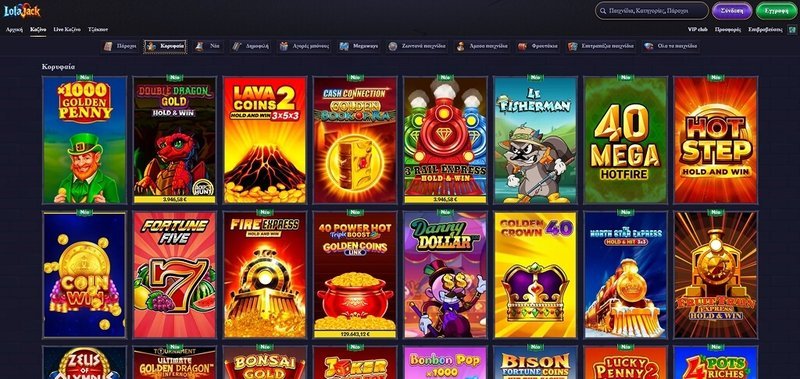
Speaking of blending experiences, many UK gamers also dip into online casino platforms for a quick diversion. I’ve found that a brief session at Lolajack Casino can be a light‑hearted palate cleanser between intense multiplayer matches, offering a change of pace without needing extra equipment.
For a smooth casino break that complements your cloud‑gaming sessions, try Lolajack Casino.
Step 6 – Keep an Eye on Regional Nuances
Licensing can affect which games are available in the UK. For instance, certain sports titles release a week later due… (rest of article unchanged) …
Wrap‑Up – The New Normal Is Here
Cloud gaming isn’t a novelty; it’s a practical solution for UK players who value flexibility over hardware ownership. By matching your internet speed, choosing the right controller, tracking game availability, and managing data use, you can enjoy AAA titles on a modest tablet without breaking the bank. The ecosystem will keep maturing, but the core lesson is simple: you don’t need a pricey console to be in the game—just a decent connection and a willingness to adapt.
Frequently Asked Questions
What devices can I stream games to with cloud gaming?
Almost any device with a browser or compatible app—laptops, phones, tablets, smart TVs, and even some TVs with built‑in streaming apps.
Do I need a high‑speed internet connection for cloud gaming?
Yes, a stable 10 Mbps or higher download speed gives smooth 60 fps gameplay, while 25 Mbps is ideal for 4K HDR titles.
Is cloud gaming cheaper than buying a new PC or console?
In many cases, a subscription to a cloud service costs less than a high‑end PC, and you avoid the upfront hardware cost.
Which cloud gaming services are best for UK players?
Xbox Cloud Gaming, PlayStation Now, NVIDIA GeForce Now, and Google Stadia (where available) are top choices, each offering UK‑region servers and local streaming.




Leave A Comment